Source code management is critical to ensuring project stability, developer velocity, and delivery cadence. Today, several branching workflows are widely used: GitHub Flow, Git Flow, and Trunk-Based Development. In this article, we’ll examine each workflow in depth and explore which strategy best suits feature teams of 2 to 7 engineers during active application feature development.
1. Git Flow
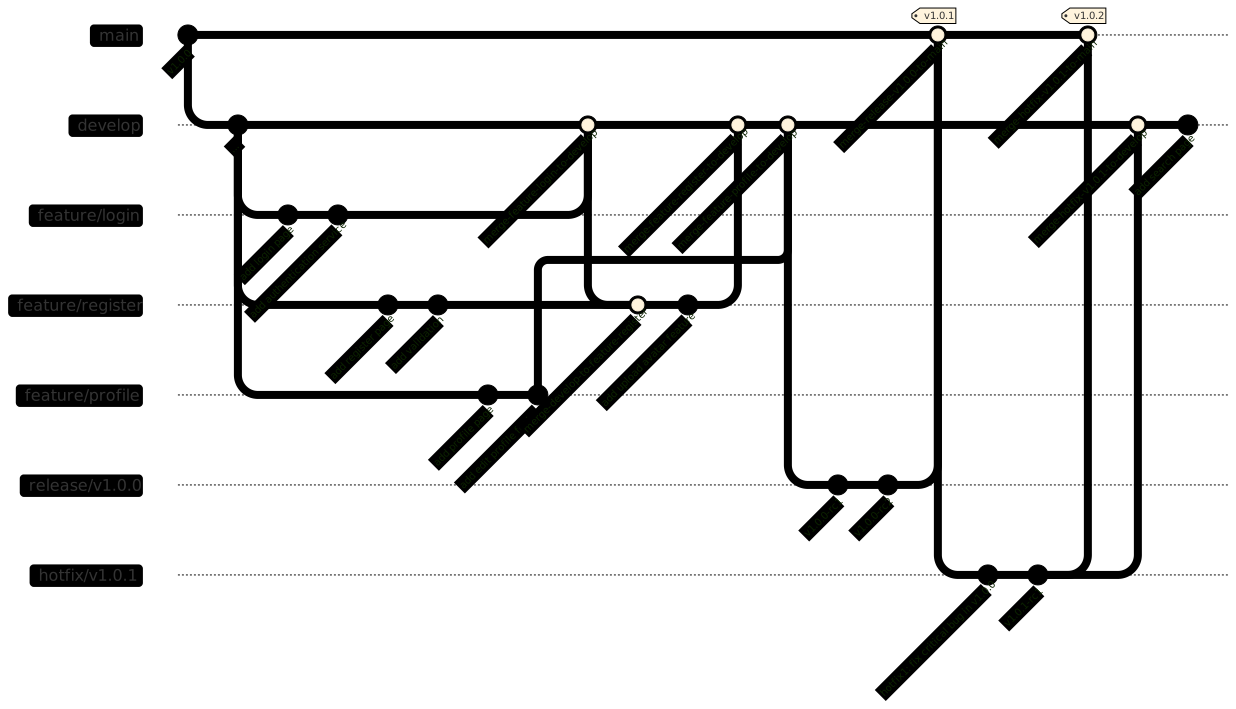
Git Flow is a branching model created by Vincent Driessen. It centers on two primary branches: “develop” and “master” (or “main”). The “develop” branch serves as an integration trunk for new features and fixes, while “master” reflects stable production releases. In Git Flow, each new feature is developed on a separate branch branched off “develop”. Once complete, it is merged back into “develop”. Later, release branches are cut from “develop”, tested, and merged into “master” for production deployment with release tags.
While Git Flow is a well-known branching model, it introduces friction for fast-paced teams requiring agility and continuous deployment. Managing long-lived branches (develop, feature, release, hotfix) often leads to merge conflicts, synchronization overhead, and delayed release cycles.
2. Trunk Based
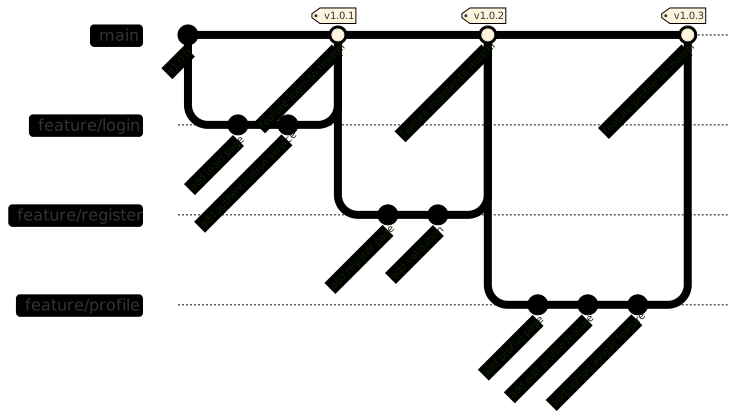
Trunk-Based Development (TBD) is a streamlined branching strategy favored by high-velocity engineering organizations like Google and Meta. In this model, all developers collaborate on a single main branch called “trunk”, pushing small batches of changes continuously.
In Trunk-Based Development, features are not isolated into long-lived branches. Instead, changes are integrated directly into the mainline and deployed rapidly, relying heavily on feature flags to conceal unready functionality. This eliminates branch divergence and reduces merge complexity. However, Trunk-Based Development demands high engineering maturity, automated test suites, and robust CI/CD pipelines. Without comprehensive automated testing and feature-flag infrastructure, trunk can easily become unstable.
3. GitHub Flow
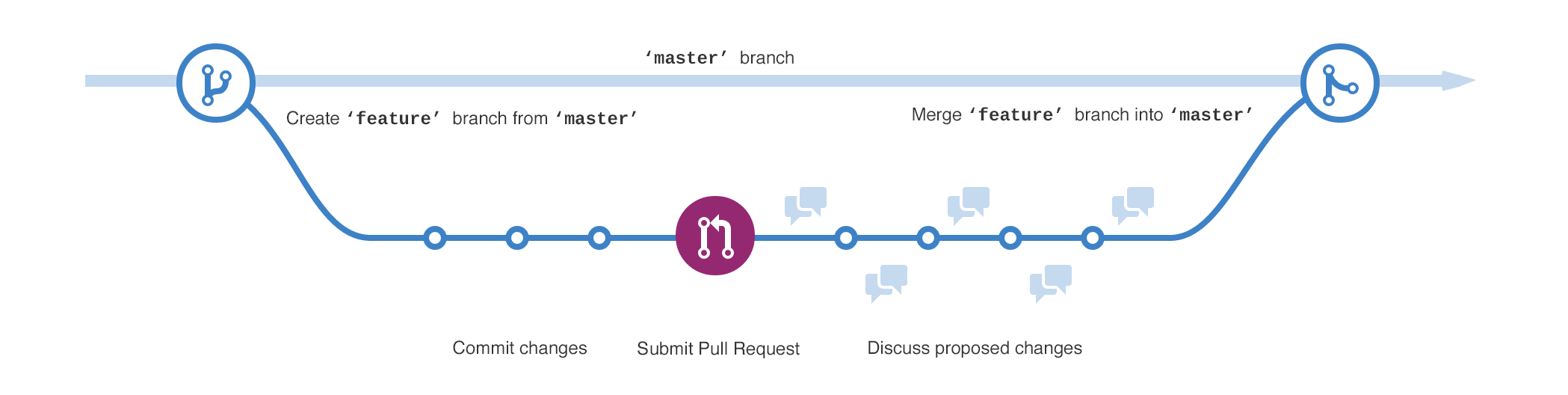
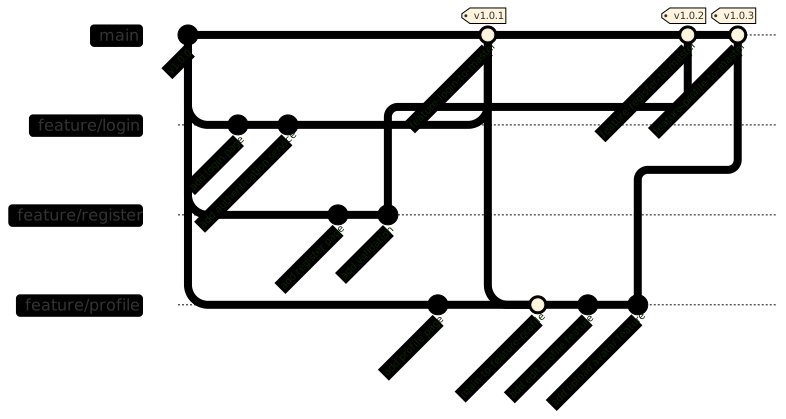
GitHub Flow is a lightweight, branch-driven workflow created by GitHub. It follows a simple lifecycle: branch creation, feature development, Pull Request (PR) review, testing, and deployment. Developers create short-lived feature branches off the main branch with descriptive names, commit changes, and open a Pull Request to propose merges into main. Before merging, automated CI tests and peer reviews validate quality. Once approved, the branch is merged and deployed immediately.
GitHub Flow combines simplicity with strong quality gates. Each feature is developed in isolation, similar to Git Flow, but without the ceremonial hierarchy of intermediate release branches. It guarantees stability before merging while maintaining rapid release cadence.
4. Conclusion
GitHub Flow offers the ideal balance of simplicity, safety, and speed for feature teams of 2 to 7 engineers. Its feature-branch isolation paired with pull request reviews and automated CI checks ensures mainline stability prior to deployment, eliminating both the branch complexity of Git Flow and the high risk/infrastructure overhead of pure Trunk-Based development for small teams.
Reference articles
- Recommendations to Enhance your Github Flow
- Introduction to Git Version Control Workflow
- Git Flow vs GitHub Flow
- Please stop recommending Git Flow!
- From Git-flow to GitHub-flow
Thanks for reading!